
Your CardiSong experience, always within reach.
Follow the guided instructions, record the sound from your CardiSong device and send the audio file securely to the CardiSong platform — where your physician reviews every recording.


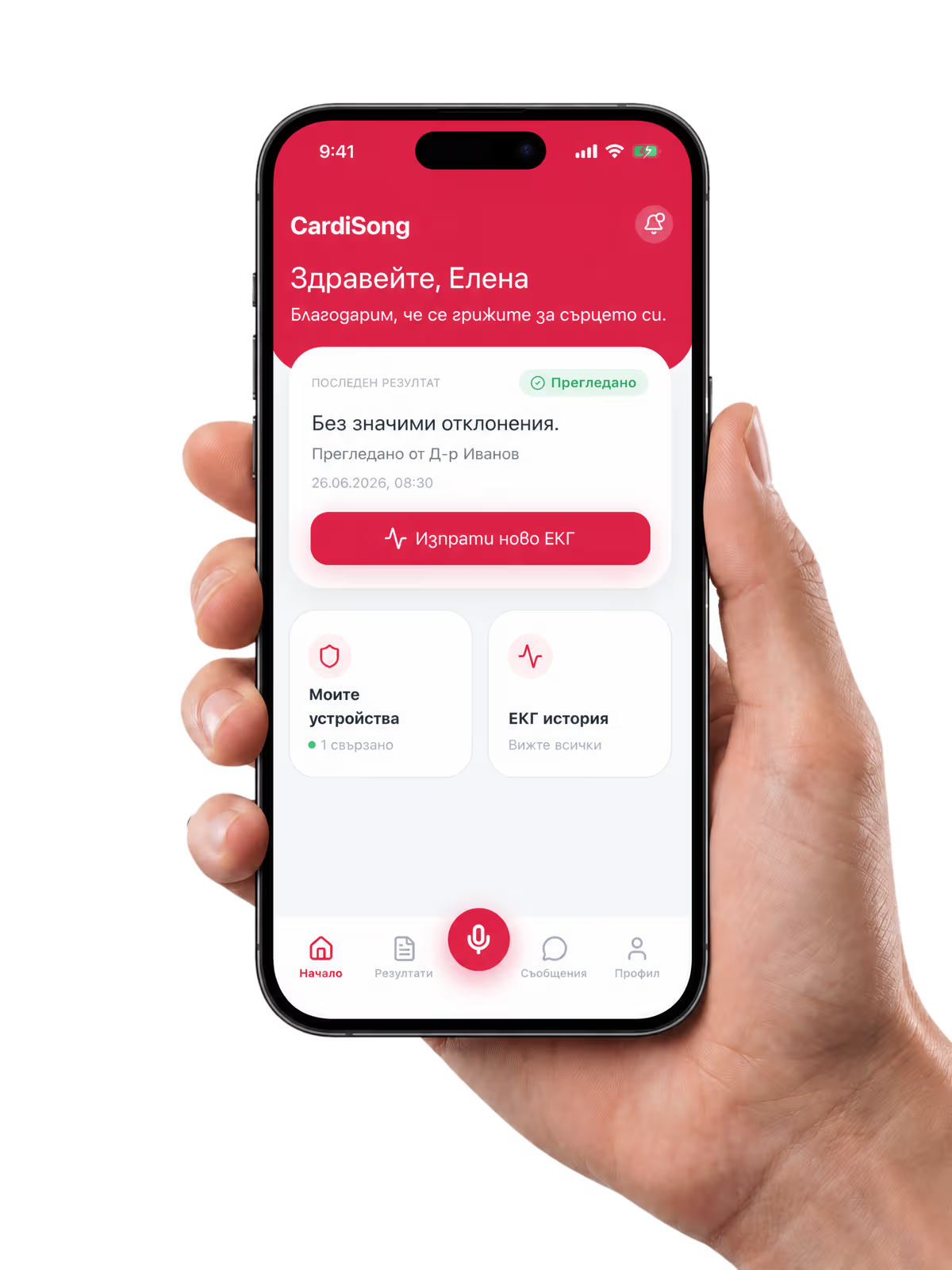
Everything you need for a guided recording experience.
The CardiSong app guides you through each step — from preparing the device and checking the sound to sending the completed audio recording.
- 01
Guided recording
Clear on-screen steps before, during and after every recording.
- 02
Clear quality feedback
The app shows you when the sound is good — and when to move the phone closer.
- 03
Secure sending
The audio file travels encrypted to the CardiSong platform.
From device to platform in a few guided steps
The application helps you prepare, record and send the sound from your CardiSong device.
Sign in or create your account
Register with your phone number and review the Terms and Privacy documents — they stay available in your profile at any time.
Connect your CardiSong device
Scan the QR code on your device or enter its code manually. The connected device appears in your profile and can be disconnected at any time.
Prepare the recording
Switch on the CardiSong device according to its instructions, find a quiet spot and place the bottom of your phone about 2–3 cm from the device.
Record the sound from the device
Start recording in the app and hold still for about 20 seconds. The on-screen guidance shows you when the signal is good.
Send the audio file
The app checks the recording and sends the audio file securely to the CardiSong platform, then confirms it was sent. No connection? The recording is kept safe and sent automatically later.
One connected CardiSong experience
The device records the ECG and plays it as sound. The app sends it — and without the app, the recording can also be sent by calling the automated line. Your physician reviews it.
Confidence at every step
Built-in checks around every recording.
Guided recording flow
The app explains what to do before, during and after every recording.
Audio quality feedback
If the sound cannot be captured reliably — too quiet, too loud or too noisy — the app tells you and helps you record again.
Clear confirmation
You see when the audio file has been sent successfully — and if you are offline, it is kept safe and sent automatically.
Secure account access
Your account is protected and your data travels encrypted between the app and the CardiSong platform.
Device connection
Compatible CardiSong devices are bound to your profile with a simple QR scan — and can be unbound at any time.
Documents always available
Terms, Privacy and consent documents are available in the app whenever you need them.
New to CardiSong?
If you do not yet have a CardiSong device or a physician who works with CardiSong, contact our team. We will guide you through the next steps and help you get started.
Before you start:The CardiSong deviceHow CardiSong worksApp guide, in Bulgarian
Frequently asked questions
Download the CardiSong mobile application
Access your account, follow the recording instructions and send your CardiSong audio recordings from your phone.
The CardiSong mobile application supports the use of the CardiSong ecosystem and the sending of audio recordings. It does not provide a diagnosis — every result is reviewed and interpreted by a qualified physician — and it is not intended for use in emergencies. If you suspect a life-threatening condition, immediately call 112 or seek emergency medical care.
Apple and the Apple logo are trademarks of Apple Inc.
Google Play and the Google Play logo are trademarks of Google LLC.