
The CardiSong app for Android is now on Google Play
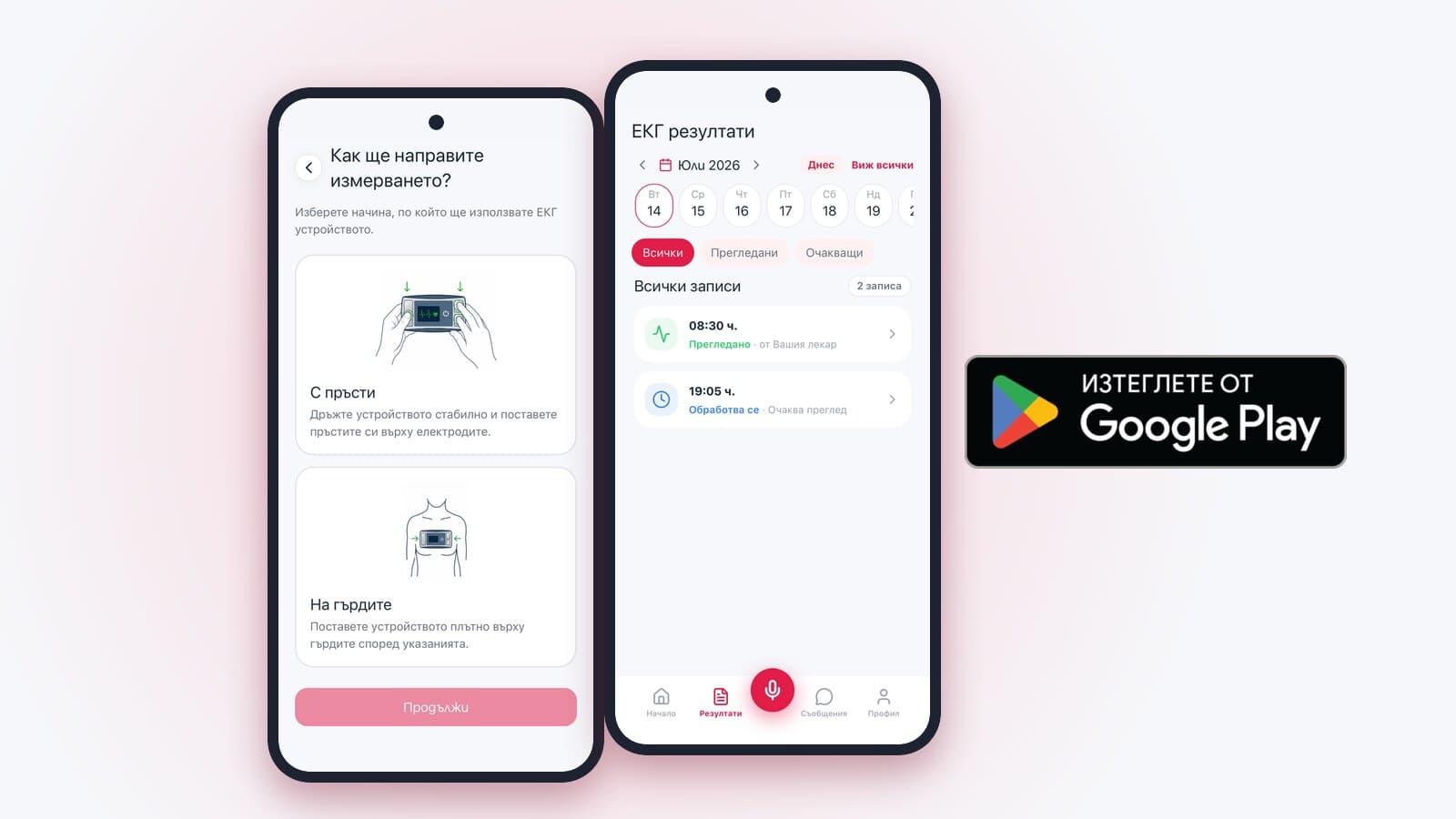
Since October 2026 the CardiSong mobile app has been published on Google Play and can be installed on Android phones. With it you send the ECG recording from your CardiSong device to your doctor straight from your phone, over the internet. The iPhone version is not yet available on the App Store.
What the CardiSong app does
The CardiSong device records an ECG for about 20 seconds and plays it as sound. The app captures that sound through the phone’s microphone and sends the audio file to the CardiSong platform, where it is converted back into an electrocardiogram for your doctor to review.
- It guides you step by step — before, during and after each recording.
- It checks the sound quality and does not send a file that was not captured reliably. Instructions appear on the screen and you record again.
- It sends the audio file encrypted. If there is no connection at the time, it keeps the recording and sends it automatically later.
- It shows the status of each recording, from processing to review by your doctor, and notifies you when a result is ready.
- It lets you write to your doctor through the built-in chat.
How you get started with the app
To use CardiSong, you first need to register with a doctor who works with the platform. Your doctor shows you the device and decides when and how often you record. After that, the app takes four steps.
- Install the CardiSong app from Google Play. The button to the store is on this site’s mobile app page.
- Sign in to your profile. If your doctor created your profile, use the login details you received; you can also register yourself with a phone number and a password.
- Link your device by scanning the QR code on its back or entering its code by hand. The device can be removed from your profile at any time.
- Somewhere quiet, hold the bottom of the phone 2–3 cm from the device, start the recording in the app and hold for about 20 seconds.
If you do not yet have a doctor who works with CardiSong, or a device, contact our team and we will point you to the next steps.
The app is one of three ways to send a recording
The app does not replace the phone line. Your recording reaches your doctor by one of three routes, and you choose the one that suits you.
- Automated line 02 4929 309 — a call from the number registered in your profile. No internet needed.
- The mobile app — over the internet, with a sound check and encrypted sending.
- The web platform — recording through the browser. Not every browser allows microphone access, so the line and the app are the more reliable choice.
Who sees your recordings
Only your doctor and you have access to your recordings. Your profile is protected, and your data travels encrypted between the app and the CardiSong platform. Your profile also holds the documents: the Terms, the Privacy Policy and your consents.
What the app does not do
The app does not analyse the recording and does not diagnose. The platform converts the sound into an ECG, and your doctor sees the signal as it was received, reads it and sends you their opinion. How long that takes depends on your doctor’s availability.
CardiSong records heart activity only while a recording you started is running. It does not provide continuous monitoring and does not replace a prescribed Holter study or a standard 12-lead ECG.
CardiSong is not an emergency service. If you suspect a life-threatening condition, call 112 without waiting for the recording to be read.
Where to find the app and help
The link to Google Play and answers to common questions are on the CardiSong mobile app page. The step-by-step guide walks through the screens from registration to the result, and the support page helps with installing, signing in and profile settings.